




Co-browsing
Voyez ce que vos clients voient, en temps réel
Résolvez les problèmes complexes plus rapidement et améliorez la productivité avec le Co-Browsing, en permettant à vos équipes de voir ce que voient les clients et de leur offrir un accompagnement immédiat.
.png)
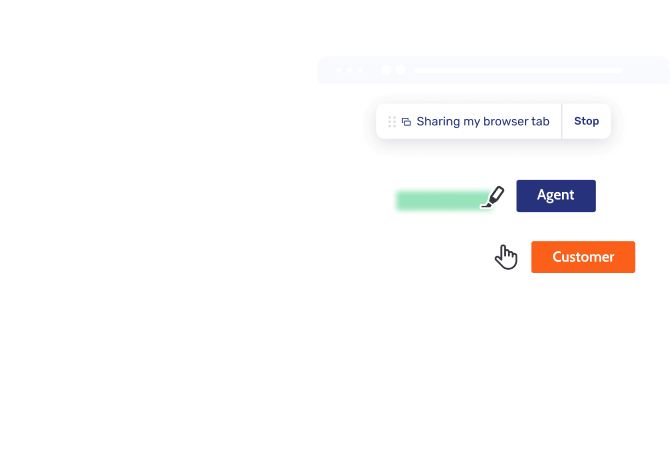
Co-Browsing multicanal
Éliminez les frictions en ajoutant le Co-Browsing aux appels téléphoniques, au chat ou aux appels Video & Voice, pour résoudre les demandes plus rapidement sans perdre le contexte de session.
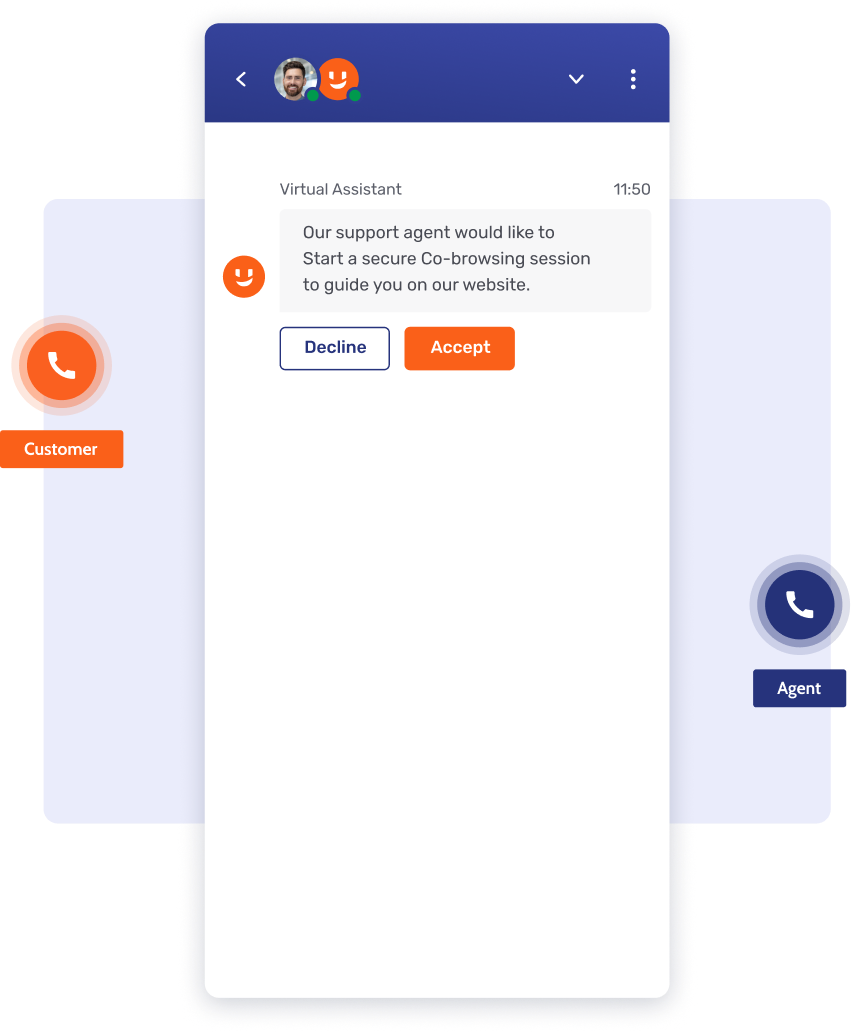
Visualisez les appels téléphoniques
Éliminez les angles morts du support en ajoutant le Co-Browsing sécurisé aux appels via des codes PIN ou invitations, pour accélérer la résolution et prévenir la fraude.
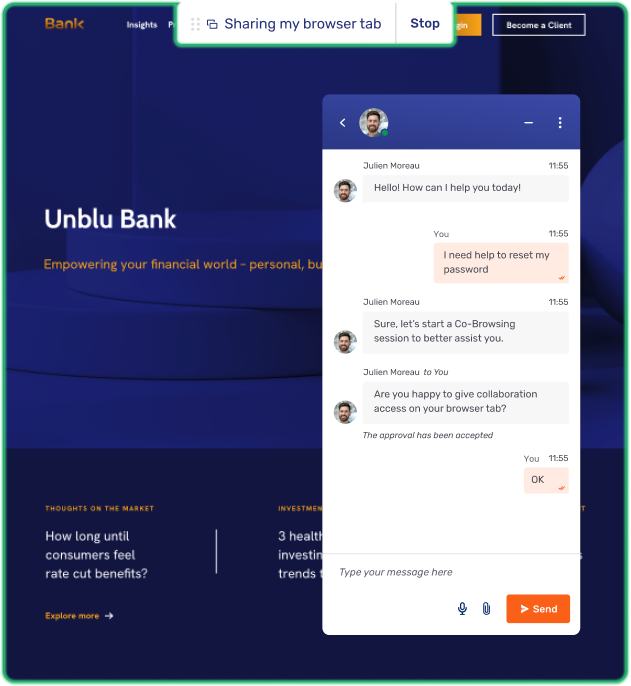
Accélérez la résolution par chat
Résolvez les problèmes plus rapidement et éliminez les frictions en ajoutant le Co-Browsing au Live Chat, pour permettre aux agents de guider visuellement les clients lors d’étapes complexes.
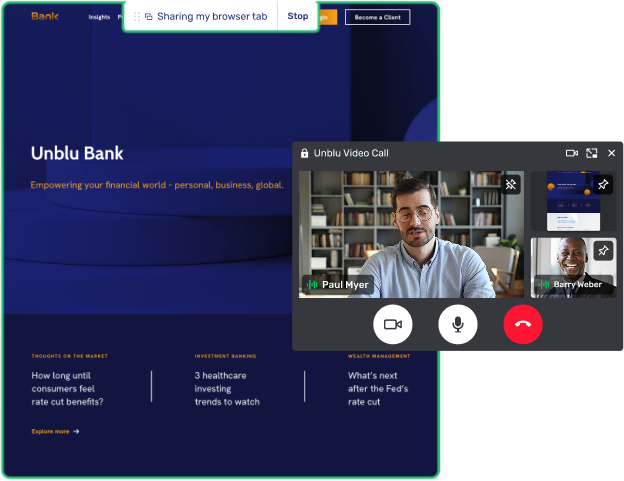
Enrichissez les réunions en direct
Résolvez les problèmes complexes plus rapidement et renforcez la confiance en ajoutant le Co-Browsing à Video & Voice, pour offrir un guidage visuel personnalisé lors des réunions en direct.
Simple pour les clients comme pour les agents
Réduisez les coûts de traitement et boostez l'adoption digitale avec un Co-Browsing sécurisé qui supprime les frictions pour résoudre les demandes complexes plus rapidement.
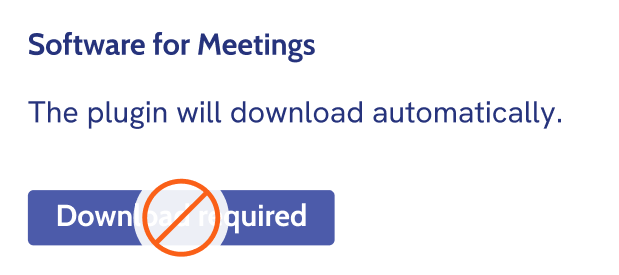
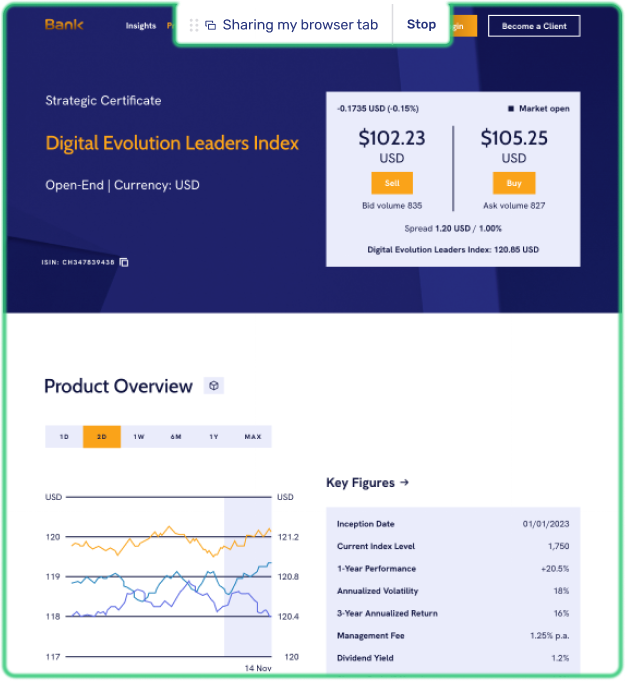
Aucun téléchargement requis
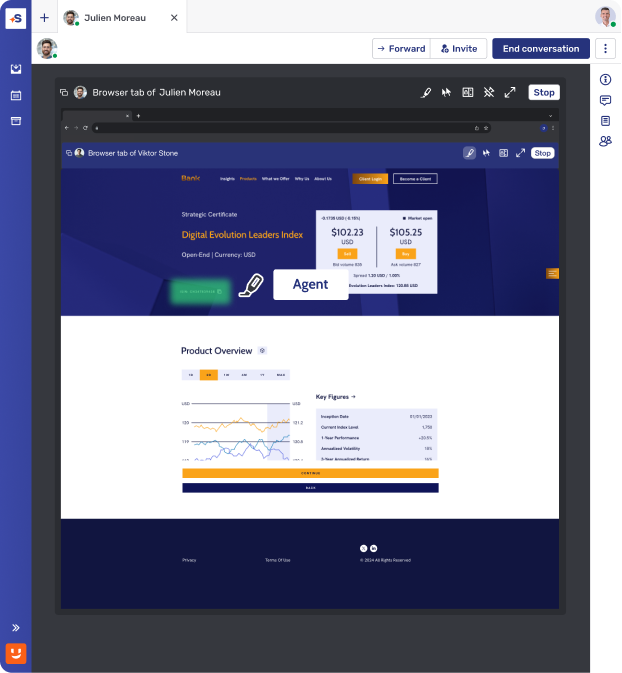
Éliminez les risques de sécurité et renforcez la confiance avec un Co-Browsing instantané qui ne nécessite aucun téléchargement ni logiciel externe pour les agents ou les clients.
Outils simplifiés pour les agents
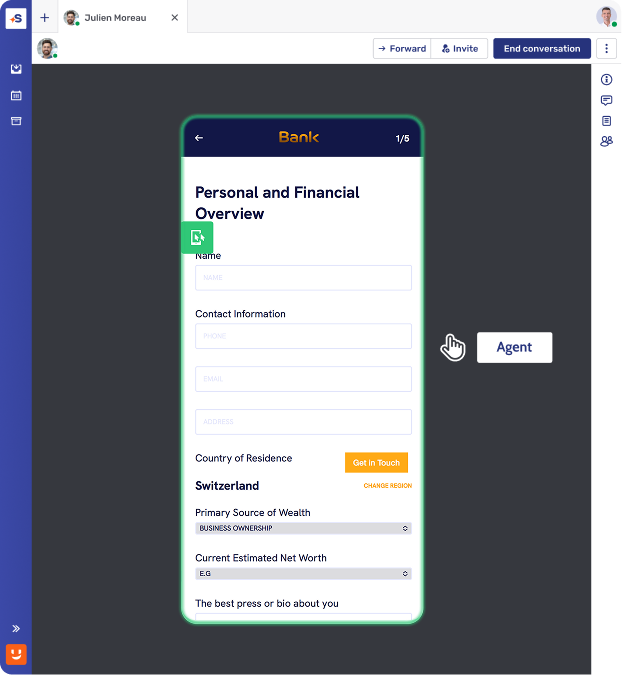
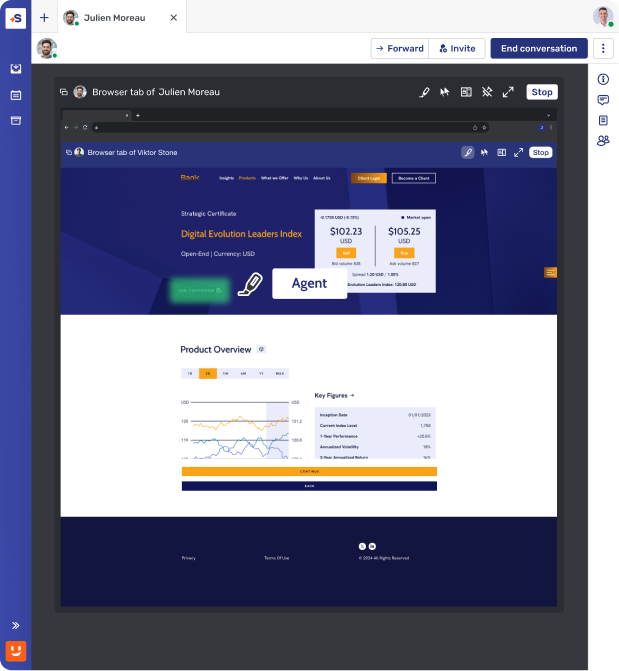
Améliorez l'efficacité et facilitez le travail grâce à des outils de Co-Browsing intuitifs qui permettent aux équipes de mettre en évidence des éléments de la page ou de naviguer avec l’accord du client.
Une expérience client en toute transparence
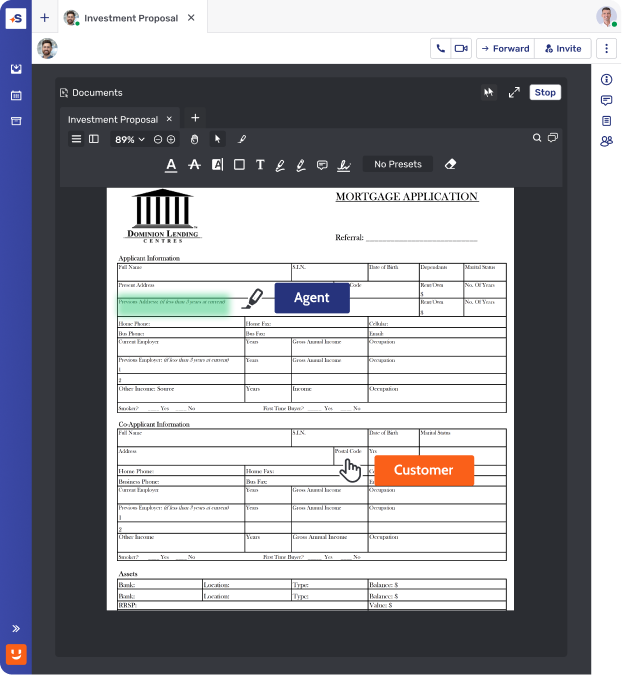
Les clients voient à tout moment exactement ce qui est consulté à l'écran, pour garantir une totale transparence et un contrôle complet, optimisant ainsi la satisfaction client.
L'expertise dans les moments qui comptent
Résolvez les demandes complexes et fidélisez les clients en utilisant le Co-Browsing pour offrir un guidage visuel immédiat aux étapes les plus critiques du parcours client.
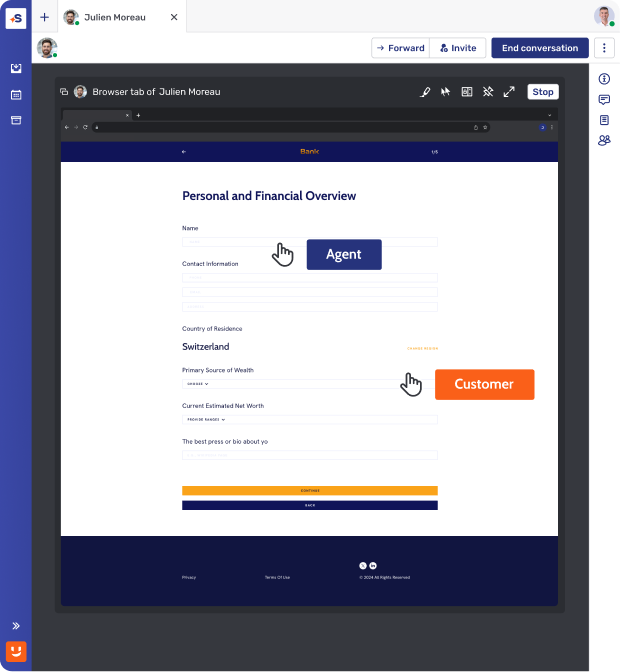
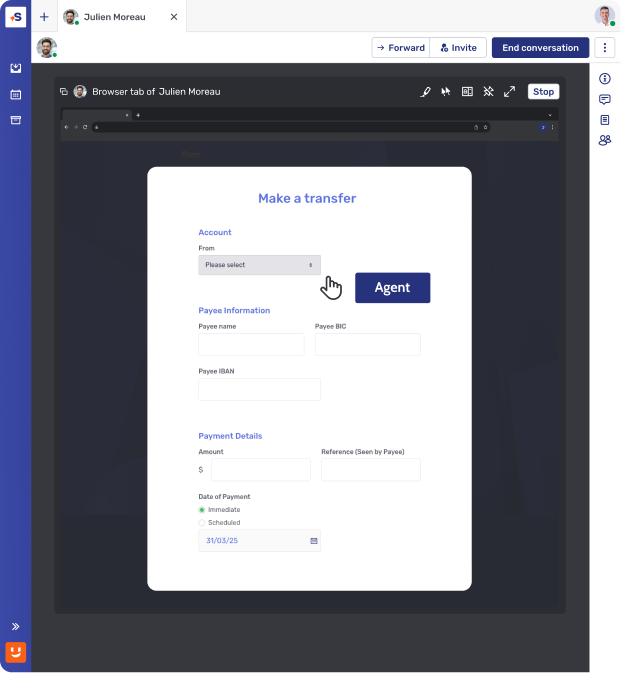
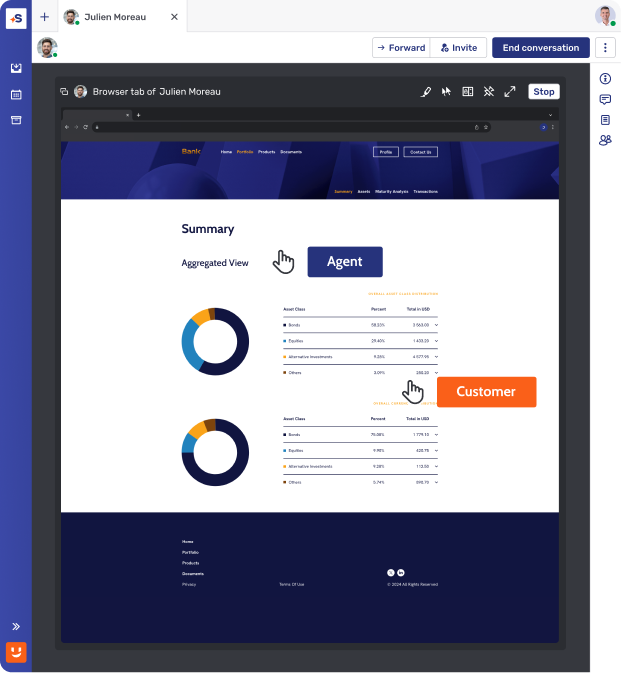
Maîtrisez le parcours d'onboarding
Éliminez les abandons lors des ouvertures de compte complexes avec le Co-Browsing, pour transformer les nouveaux utilisateurs en clients fidèles dès le premier jour.
Optimisez l'assistance sur le portail
Améliorez l'efficacité du support et l'autonomie des clients en utilisant le Co-Browsing pour guider les utilisateurs lors de leurs transactions, afin de réduire les frictions et les demandes futures.
Offrez un conseil digital premium
Instaurez une confiance profonde aux moments clés du parcours client en utilisant le Co-Browsing pour accompagner les clients dans des revues de portefeuille et une planification financière complexes.
Taux de conversion des ventes numériques multiplié par 4 en 9 mois
« Nous devons être là où le client souhaite interagir et proposer diverses options selon ses préférences. C'est ce qu'Unblu nous aide à faire. »


Conçu pour s'intégrer à votre socle bancaire
Des intégrations natives et certifiées avec les plateformes que vous exploitez déjà. Un déploiement en quelques mois, pas en quelques années.

Un engagement contextualisé, intégré nativement aux interfaces web et mobiles d'Avaloq.

Unblu s'intègre directement dans Temenos Digital, Wealth et Journey Manager, afin que vos clients joignent un-e véritable conseiller-ère.

Une conversation humaine, intégrée à l'E-Banking, au Mobile Banking et à l'Advisor Workbench de Finnova.

Messagerie sécurisée, vidéo et partage de documents – en remplacement de l'e-mail et du téléphone, nativement intégrés à Wove Advisor.

Des conversations conseiller-ère–client, conformes par conception, natives à la Broadridge Advisor Workstation.

Secure digital interaction, built into the Broadridge Advisor Workstation





La sécurité et la conformité au cœur de nos préoccupations
Garantissez la confidentialité des données et la conformité réglementaire grâce à des protections intégrées et à des journaux d'audit.
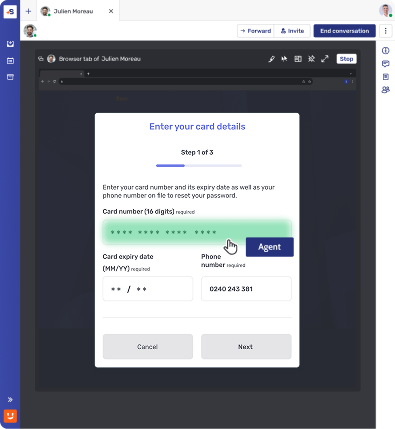
Masquage des champs et blocage des fonctionnalités
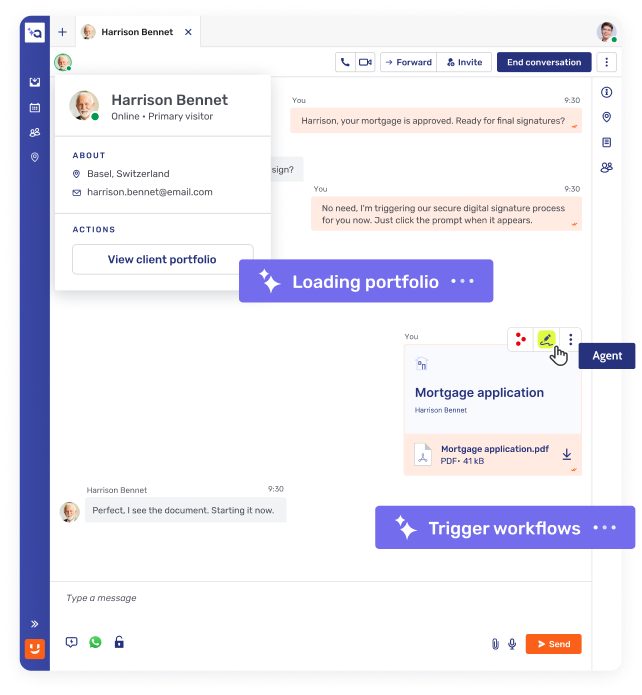
Masquez les champs sensibles (ex. : mots de passe, données personnelles) aux agents du service client afin de protéger les informations des clients.
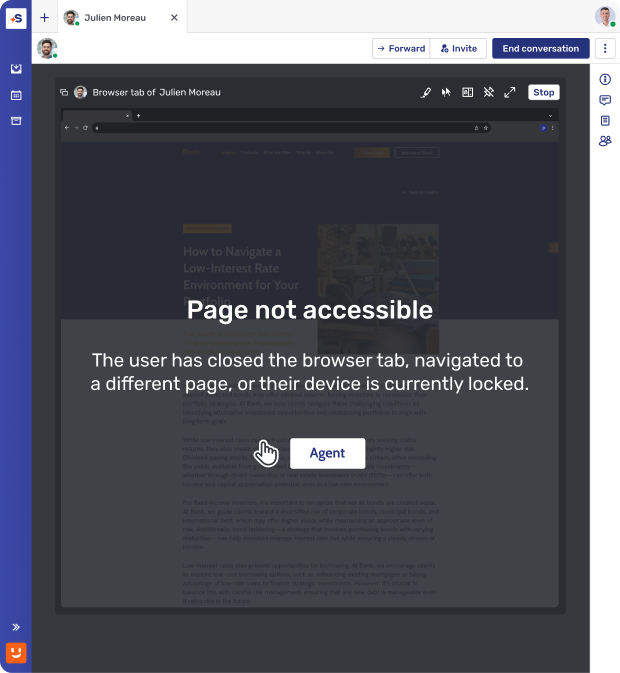
Contrôle d'accès au niveau des pages
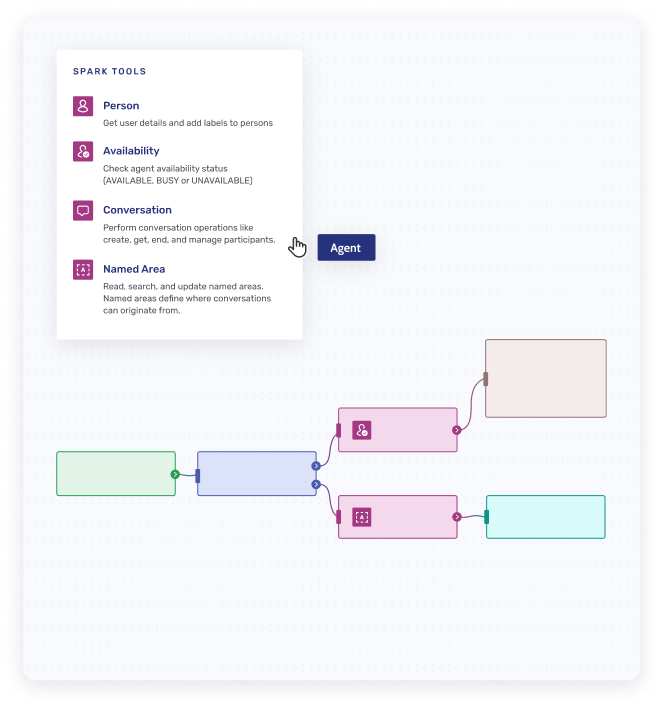
Seules les pages web pré-approuvées peuvent être partagées lors de la session, ce qui évite l'exposition accidentelle de contenus non pertinents et protège la confidentialité des clients.
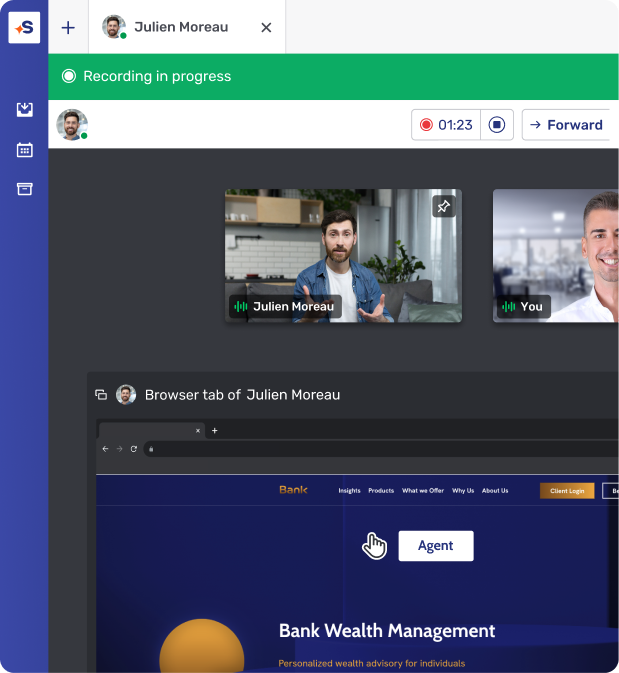
Enregistrement et stockage des sessions
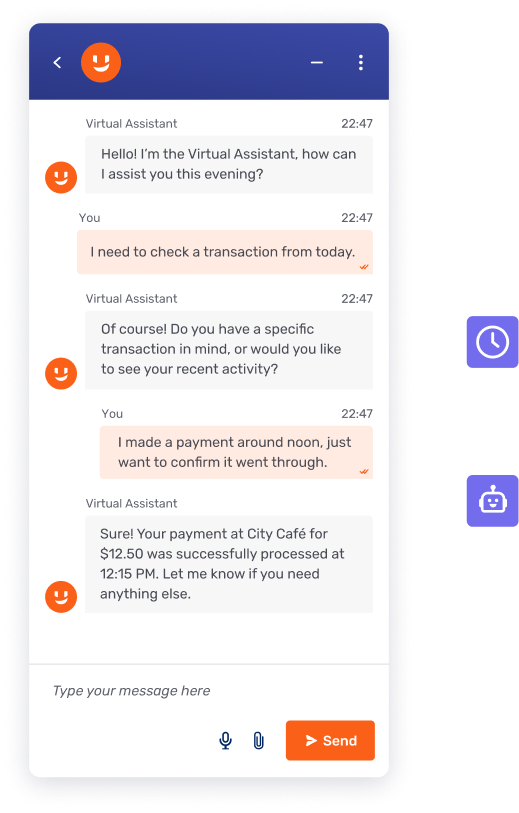
Toutes les sessions de Co-Browsing peuvent être enregistrées et stockées de manière sécurisée à des fins de conformité, d'audit ou de formation.
Comment cela fonctionne
Rapide, sécurisé et facile à mettre en œuvre.

Capture du DOM en temps réel
Le Co-Browsing intégré repose sur le DOM (Document Object Model) pour capturer et recréer le navigateur du client sur l'ordinateur ou l'appareil de l'agent. La capture du DOM s'exécute dans le navigateur du client et transfère un « clone » de l'état visuel du navigateur à l'agent.
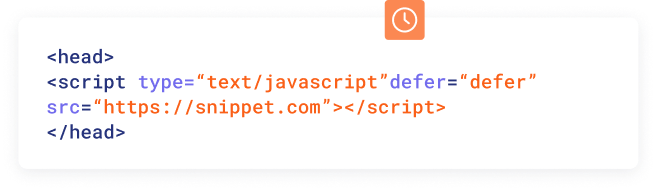
Implémentation simple
Activez le Co-Browsing en ajoutant un script JavaScript léger dans la balise <head> du HTML de votre site web.
Sujet
Co-Browsing
Partage d'écran dans le navigateur
Partage d'écran via une application (Zoom, Teams)
Prérequis d'installation
Aucune installation
Fonctionnalité native du navigateur
Nécessite une modification des autorisations système et un redémarrage du navigateur
Nécessite une application ou un plugin préinstallé
Nécessite des autorisations et un redémarrage de l'application
Périmètre de visibilité
Seuls une session web ou un élément précis sont visibles pour le ou la conseiller-ère
Périmètre de partage prédéfini par l'application (p. ex. onglets du navigateur uniquement)
L'utilisateur peut uniquement accepter ou refuser
Application ou écran entier partagé
Gestion de la navigation
Continuité totale pendant la navigation
Le ou la conseiller-ère reste dans la session
Ouvrir une nouvelle page ou recharger la page en cours met fin à la session de partage
Les utilisateurs doivent à nouveau autoriser le partage d'écran à chaque fois
L'utilisateur doit gérer manuellement ce qui est partagé
Aucune protection automatique de la confidentialité
Compatibilité navigateurs et appareils
Fonctionne sur tous les navigateurs modernes et les appareils mobiles.
Fonctionne pour le partage d'écran entier ou de fenêtre
Le partage est limité à un seul onglet du navigateur
Non pris en charge sur Safari et Firefox
Large compatibilité sur ordinateur
Limité ou peu pratique sur mobile
Autorisations de prise de contrôle à distance
Les banques définissent les fonctions à l'écran (p. ex. les clics sur des boutons) accessibles aux conseiller-ères pendant une session
Ne prend pas en charge la prise de contrôle à distance
Les conseiller-ères ne peuvent pas aider le client à naviguer
La prise de contrôle à distance donne un accès complet
Aucun blocage natif de fonctions (p. ex. masquage de champs, désactivation des clics sur des boutons)
Masquage de champs
Des champs précis (p. ex. code d'accès, numéro de compte) peuvent être masqués aux conseiller-ères.
Aucun masquage possible : l'ensemble de l'application ou du bureau est partagé.
Enregistrement de session
Enregistrement sélectif des interactions
Conforme à la réglementation financière
L'enregistrement de l'écran entier accroît le risque d'exposition de données d'identification de clients (CID)
Impact sur la conformité
Favorise la conformité au GDPR et à PCI-DSS grâce à un accès contrôlé
Risque élevé d'exposer des données d'identification de clients (CID) et des informations sensibles
Unblu Co-Browsing
Prérequis d'installation
Aucune installation
Fonctionnalité native du navigateur
Périmètre de visibilité
Seuls une session web ou un élément précis sont visibles pour le ou la conseiller-ère
Gestion de la navigation
Continuité totale pendant la navigation
Le ou la conseiller-ère reste dans la session
Compatibilité navigateurs et appareils
Fonctionne sur tous les navigateurs modernes et les appareils mobiles.
Autorisations de prise de contrôle à distance
Les banques définissent les fonctions à l'écran (p. ex. les clics sur des boutons) accessibles aux conseiller-ères pendant une session
Masquage de champs
Des champs précis (p. ex. code d'accès, numéro de compte) peuvent être masqués aux conseiller-ères
Enregistrement de session
Enregistrement sélectif des interactions
Conforme à la réglementation financière
Impact sur la conformité
Favorise la conformité au GDPR et à PCI-DSS grâce à un accès contrôlé
Partage d'écran dans le navigateur
Prérequis d'installation
Nécessite une modification des autorisations système et un redémarrage du navigateur
Périmètre de visibilité
Périmètre de partage prédéfini par l'application (p. ex. onglets du navigateur uniquement)
L'utilisateur peut uniquement accepter ou refuser
Gestion de la navigation
Ouvrir une nouvelle page ou recharger la page en cours met fin à la session de partage
Les utilisateurs doivent à nouveau autoriser le partage d'écran à chaque fois
Compatibilité navigateurs et appareils
Fonctionne pour le partage d'écran entier ou de fenêtre
Le partage est limité à un seul onglet du navigateur
Non pris en charge sur Safari et Firefox
Autorisations de prise de contrôle à distance
Ne prend pas en charge la prise de contrôle à distance
Les conseiller-ères ne peuvent pas aider le client à naviguer
Masquage de champs
Aucun masquage possible : l'ensemble de l'application ou du bureau est partagé
Enregistrement de session
L'enregistrement de l'écran entier accroît le risque d'exposition de données d'identification de clients (CID)
Impact sur la conformité
Risque élevé d'exposer des données d'identification de clients (CID) et des informations sensibles
Partage d'écran via une application (Zoom, Teams)
Prérequis d'installation
Nécessite une application ou un plugin préinstallé
Nécessite des autorisations et un redémarrage de l'application
Périmètre de visibilité
Application ou écran entier partagé
Gestion de la navigation
L'utilisateur doit gérer manuellement ce qui est partagé
Aucune protection automatique de la confidentialité
Compatibilité navigateurs et appareils
Large compatibilité sur ordinateur
Limité ou peu pratique sur mobile
Autorisations de prise de contrôle à distance
La prise de contrôle à distance donne un accès complet
Aucun blocage natif de fonctions (p. ex. masquage de champs, désactivation des clics sur des boutons)
Masquage de champs
Aucun masquage possible : l'ensemble de l'application ou du bureau est partagé
Enregistrement de session
L'enregistrement de l'écran entier accroît le risque d'exposition de données d'identification de clients (CID)
Impact sur la conformité
Risque élevé d'exposer des données d'identification de clients (CID) et des informations sensibles
Questions fréquentes
Comment le Co-Browsing respecte-t-il le GDPR et les autres réglementations sur la protection des données ?

Unblu Co-Browsing favorise la conformité au GDPR et à PCI-DSS en ne partageant que la page ou le champ approuvé, et non l'écran entier, et en masquant les données sensibles, comme les numéros de compte, avant même que le ou la conseiller-ère ne les voie. Chaque session peut être enregistrée de manière sélective et conservée pour l'audit, ce qui répond aux exigences de conservation des services financiers, comme MiFID II, sans capturer de contenu d'écran sans rapport, comme le fait le partage d'écran du bureau entier.
Quel est le niveau de sécurité du Co-Browsing pour les informations sensibles ?
Le Co-Browsing peut être très sûr lorsqu'il ne partage qu'une session web approuvée plutôt que l'écran entier. Unblu Co-Browsing protège les informations sensibles par le masquage de champs, le contrôle d'accès au niveau de la page et l'enregistrement sélectif des sessions avec des journaux d'audit complets. Les données sont chiffrées en AES256 au repos et TLS 1.2 est imposé en transit, et la plateforme répond aux normes ISO 27001:2022 et SOC 2 Type 2 : les conseiller-ères peuvent ainsi collaborer avec les clients sans exposer de données d'identification de clients (CID) ni le contenu du bureau entier, comme le font les outils de partage d'écran génériques.
Comment le Co-Browsing peut-il améliorer le support client ?
Le Co-Browsing améliore le support client en permettant à un-e conseiller-ère de voir et de guider un client sur une page web en temps réel, au lieu de s'appuyer sur des descriptions orales. Clients et conseiller-ères collaborent comme s'ils se trouvaient dans la même pièce, avec surlignage et annotation complets, ce qui réduit la durée de traitement et améliore la résolution au premier contact sur les demandes complexes, comme l'ouverture de compte ou les revues de portefeuille. Comme les sessions se poursuivent entre Live Chat, téléphone et Video & Voice, les agent-es conservent le contexte visuel lors des changements de canal, au lieu de repartir de zéro.
Quelles sont les principales fonctionnalités d'un logiciel de Co-Browsing ?
Les principales fonctionnalités du Co-Browsing incluent la navigation conjointe en temps réel, les outils de surlignage et d'annotation pour les agent-es, et un accès via le navigateur sans téléchargement. Pour les équipes en contact avec les clients dans les banques et les assurances, les fonctionnalités les plus importantes sont les contrôles de sécurité : masquage des données, contrôle d'accès au niveau de la page et enregistrement des sessions avec journaux d'audit. Unblu Co-Browsing ajoute des sessions par code PIN pour le support téléphonique, fonctionne avec Live Chat et Video & Voice sans perte de contexte, et s'étend aux applications mobiles natives via Mobile Co-Apping pour les canaux numériques en déplacement.
Quelle est la différence entre le Co-Browsing et le partage d'écran ?
Le partage d'écran diffuse tout l'écran ou toute l'application d'un utilisateur et exige généralement une application installée et des autorisations répétées. Le Co-Browsing ne partage qu'une session web précise dans le navigateur : le ou la conseiller-ère ne voit que la page sur laquelle on travaille. Avec Unblu Co-Browsing, les banques définissent les fonctions à l'écran que le ou la conseiller-ère peut utiliser, les champs sensibles peuvent être masqués et le passage à une nouvelle page ne met pas fin à la session : des capacités que les outils génériques comme Zoom ou Teams ne prennent pas en charge nativement.
Qu'est-ce que le Co-Browsing et comment fonctionne-t-il ?
Le Co-Browsing, ou navigation collaborative, est une technologie de collaboration en temps réel qui permet à un-e agent-e de support ou à un-e conseiller-ère et à un client de naviguer ensemble sur la même page web, directement dans le navigateur. Il fonctionne en capturant le DOM dans le navigateur du client et en recréant l'état visuel sur l'écran de l'agent-e, en ne partageant que l'onglet convenu du navigateur et non le bureau entier, sans téléchargement ni plugin. Contrairement au partage d'écran, le Co-Browsing n'expose jamais le bureau complet du client. Unblu Co-Browsing est conçu spécialement pour les banques et les établissements financiers.
