




Co-Browsing
Co-Browsing: Sehen Sie, was Ihre Kunden sehen – in Echtzeit
Lösen Sie komplexe Anliegen schneller und steigern Sie die Produktivität: Mit Co-Browsing sehen Ihre Teams, was Kunden sehen, und können sofort Orientierung geben.
.png)
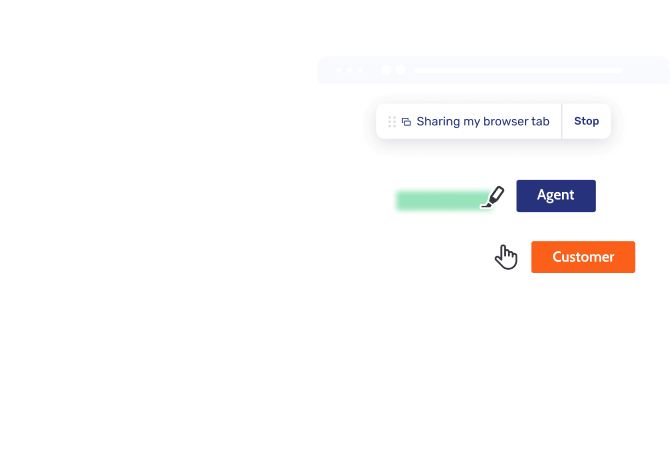
Co-Browsing über alle Kanäle
Beseitigen Sie Reibungsverluste, indem Sie Co-Browsing in Telefonate, Chats oder Gespräche über Video & Voice integrieren: So lösen Sie Anliegen schneller, ohne den Sitzungskontext zu verlieren.
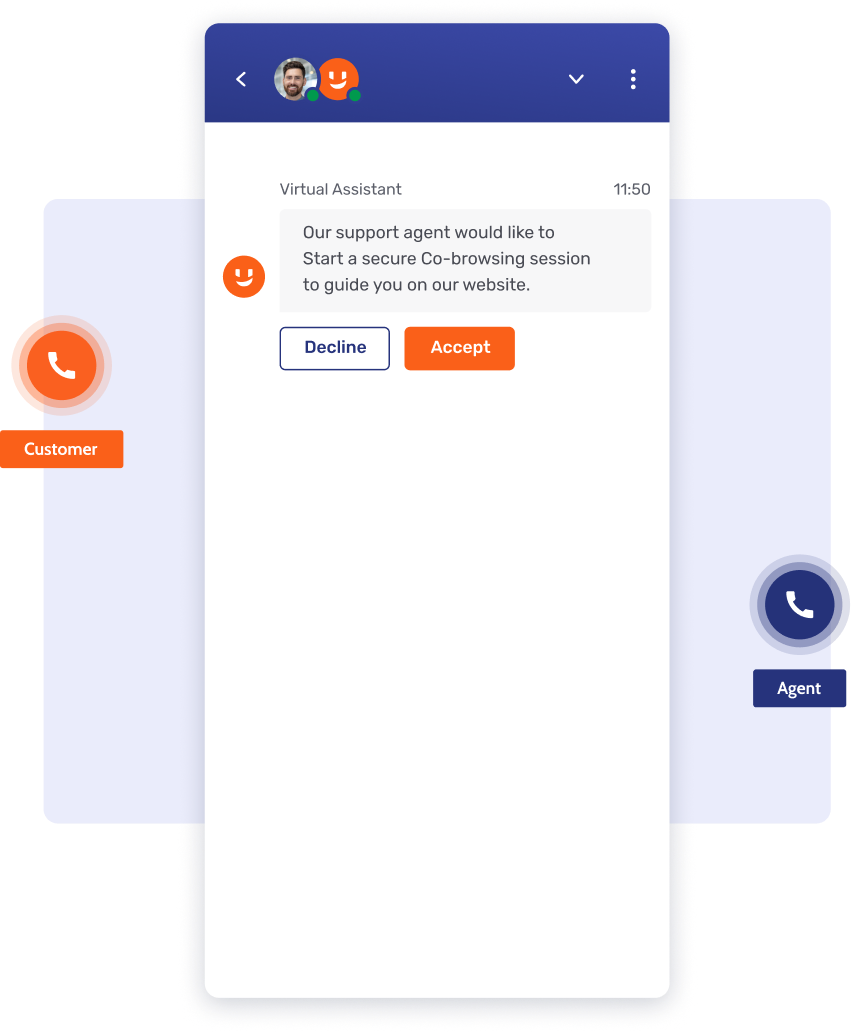
Telefonate sichtbar machen
Schluss mit Blindflug im Support: Ergänzen Sie Telefonate per PIN oder Einladung um sicheres Co-Browsing, beschleunigen Sie die Lösung und beugen Sie Betrug vor.
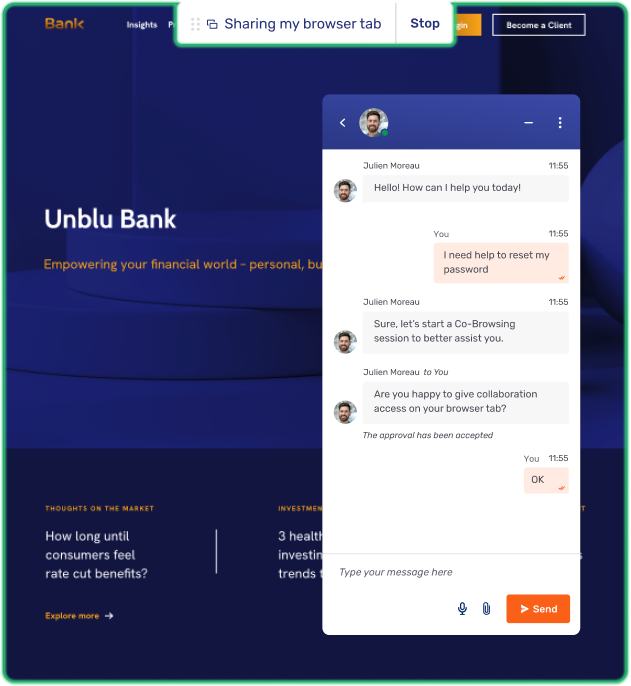
Chats schneller lösen
Lösen Sie Anliegen schneller und beseitigen Sie Reibungsverluste, indem Sie Co-Browsing in Live Chat integrieren: So führen Agenten Kunden visuell durch komplexe Schritte.
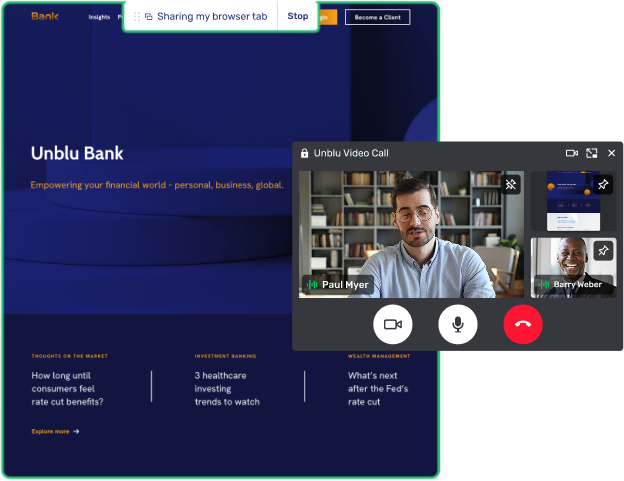
Live-Meetings auf das nächste Level bringen
Lösen Sie komplexe Anliegen schneller und schaffen Sie Vertrauen, indem Sie Co-Browsing in Video & Voice integrieren und in Live-Meetings persönliche visuelle Begleitung bieten.
Mühelos für Kunden und Agenten
Senken Sie die Servicekosten und fördern Sie die digitale Nutzung mit sicherem Co-Browsing, das Reibungsverluste beseitigt und komplexe Anfragen schneller löst.

Sicherer Sofortzugriff
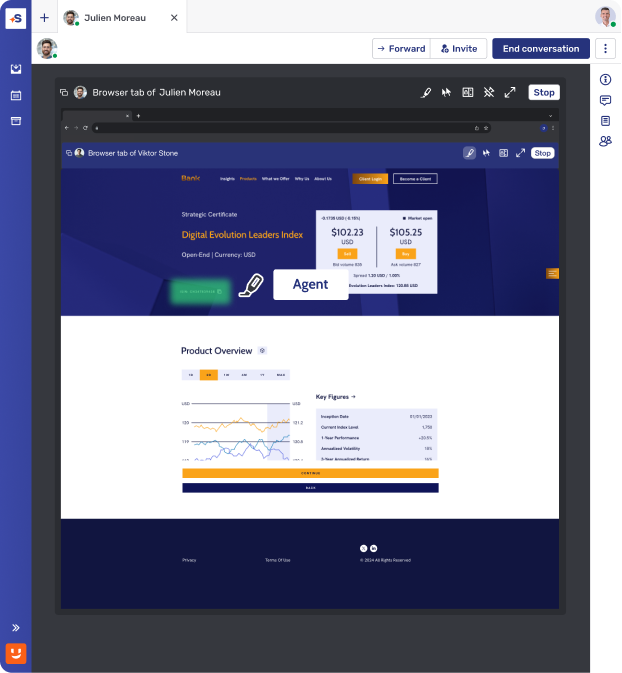
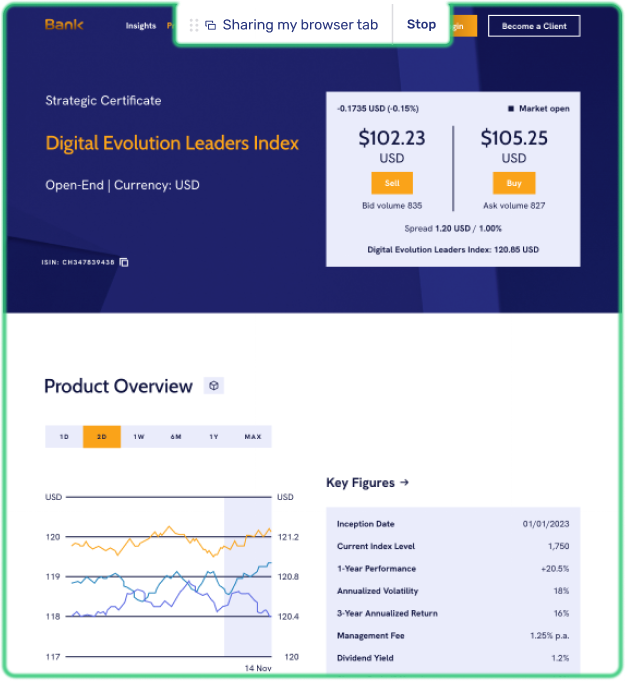
Beseitigen Sie Sicherheitsrisiken und schaffen Sie Vertrauen mit sofort verfügbarem Co-Browsing, das weder für Agenten noch für Kunden Downloads oder externe Software erfordert.
Vereinfachte Tools für Agenten
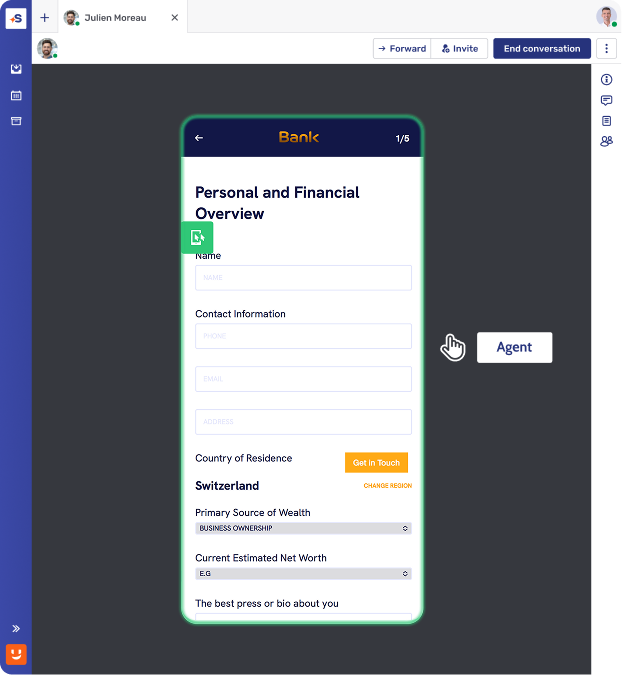
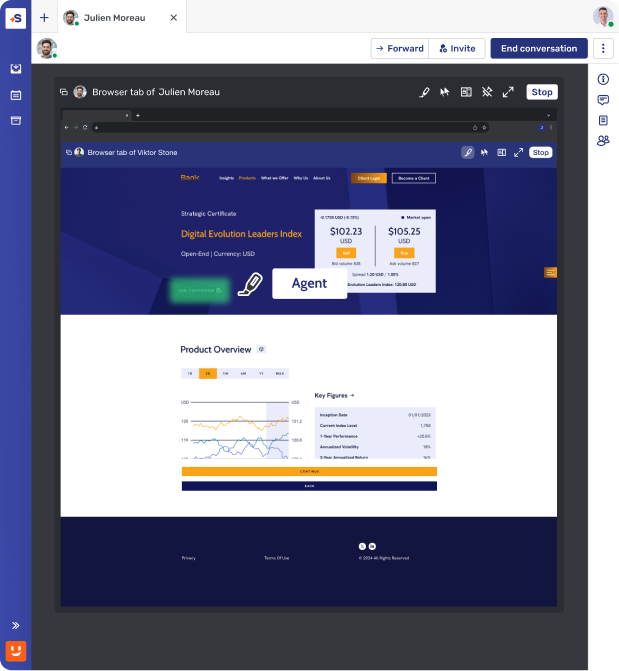
Steigern Sie die Effizienz und senken Sie den Aufwand mit einfach zu bedienenden Co-Browsing-Tools, mit denen Teams Bereiche einer Seite hervorheben oder mit Zustimmung des Kunden navigieren können.
Transparentes Kundenerlebnis
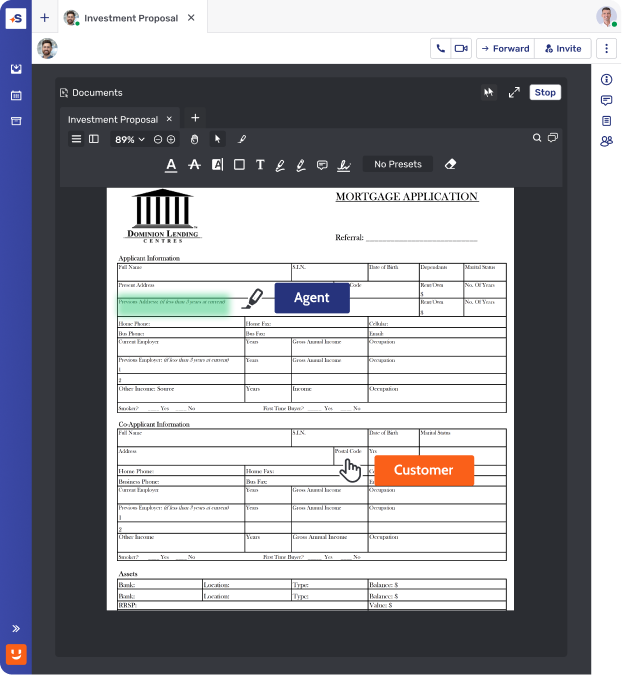
Kunden sehen jederzeit genau, was gemeinsam durchgesehen wird. Das sorgt für volle Transparenz und Kontrolle und damit für zufriedenere Kunden.
Expertise in den entscheidenden Momenten
Lösen Sie komplexe Anfragen und stärken Sie die Kundenbindung, indem Sie mit Co-Browsing an den kritischsten Punkten der Customer Journey sofortige visuelle Begleitung bieten.
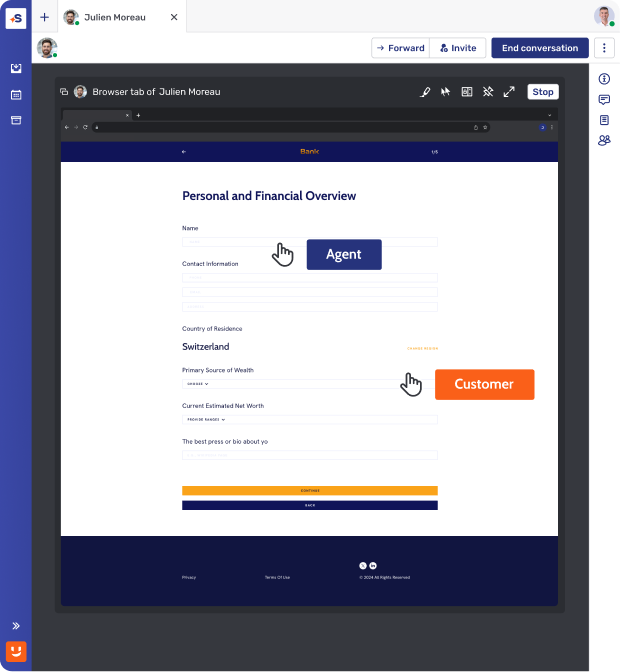
Die Onboarding-Journey meistern
Verhindern Sie Abbrüche bei komplexen Kontoeinrichtungen mit Co-Browsing und machen Sie neue Nutzer vom ersten Tag an zu treuen, langjährigen Kunden.
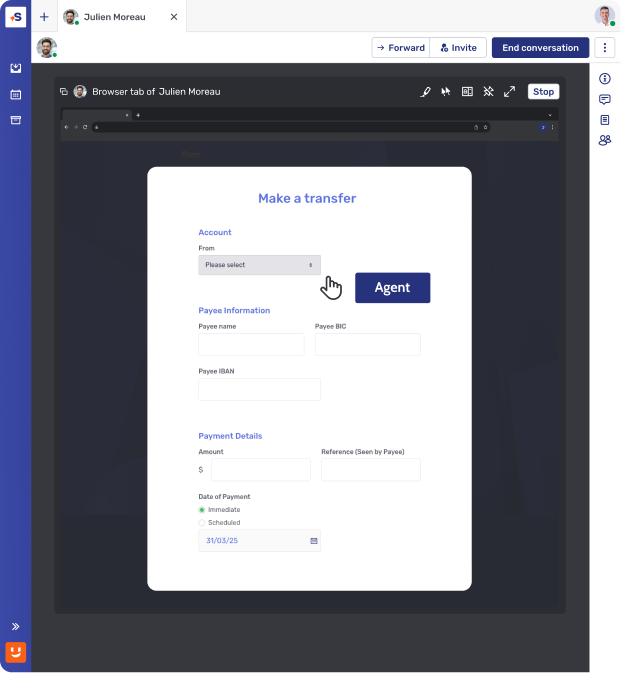
Portal-Support vereinfachen
Steigern Sie die Effizienz im Support und die Eigenständigkeit Ihrer Kunden, indem Sie Nutzer mit Co-Browsing durch E-Banking-Portale und Transaktionen führen. Das senkt Reibungsverluste und künftige Anfragen.
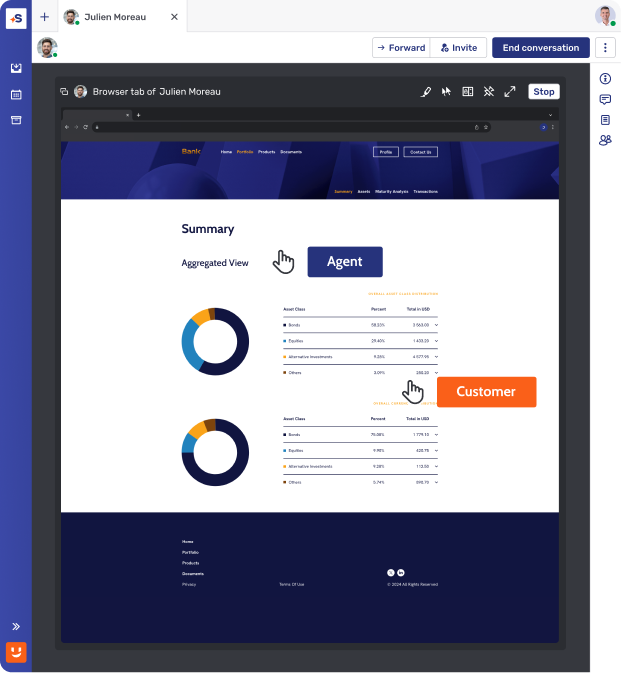
Digitale Premium-Beratung bieten
Schaffen Sie in entscheidenden Momenten der Kundenreise Vertrauen, indem Sie mithilfe von Co-Browsing Ihre Kunden durch komplexe Portfolioüberprüfungen und die Finanzplanung begleiten.
Vervierfachte Konversionsrate im digitalen Vertrieb nach 9 Monaten
“Ausgezeichneter Kundenservice schafft eine Basis, die sämtliche Cross- und Upsell Optionen möglich macht, und ein Omnichannel-Ansatz ist dafür unerlässlich. Wir müssen dort sein, wo der Kunde interagieren möchte, und eine Vielzahl von Optionen je nach Vorliebe anbieten. Genau dabei hilft uns Unblu.”


Entwickelt für Ihren Core-Banking-Stack
Native, zertifizierte Integrationen mit den Plattformen, die Sie bereits nutzen. Implementierung in Monaten statt Jahren.

Kontextbezogenes Engagement, nativ eingebettet in die Web- und Mobile-Frontends von Avaloq.

Unblu ist direkt in Temenos Digital, Wealth und Journey Manager integriert, sodass Kunden einen echten Kundenberater erreichen.

Menschlicher Austausch, integriert in Finnovas E-Banking, Mobile Banking und Advisor Workbench.

Sicheres Messaging, Video und Dokumentenaustausch – ersetzt E-Mail und Telefon, direkt in Wove Advisor integriert.

Gespräche zwischen Berater und Kunde – von Grund auf compliant, nativ integriert in die Broadridge Advisor Workstation.

Unblu verbindet Kunden und Berater, indem Backbase-Apps um Sicheres Messaging, Video und KI-Chat ergänzt werden.





Sicherheit und Compliance im Mittelpunkt
Gewährleisten Sie Datenschutz und regulatorische Compliance mit integrierten Schutzmechanismen und Prüfprotokollen.
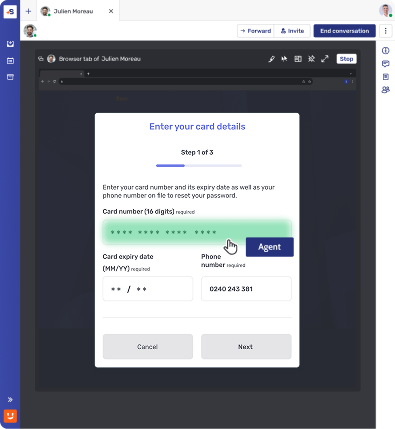
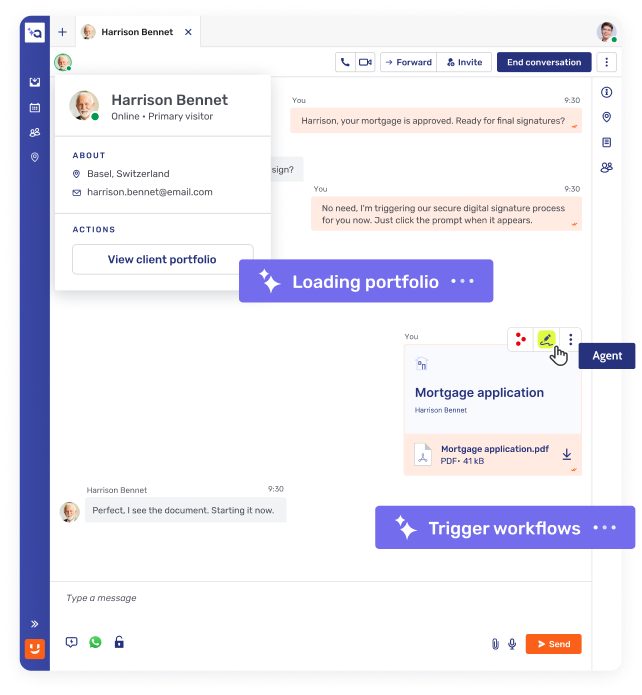
Feldmaskierung und Funktionssperrung
Blenden Sie sensible Felder (z. B. Passwörter, persönliche Daten) vor Kundenservice-Agenten aus, um Kundeninformationen zu schützen.
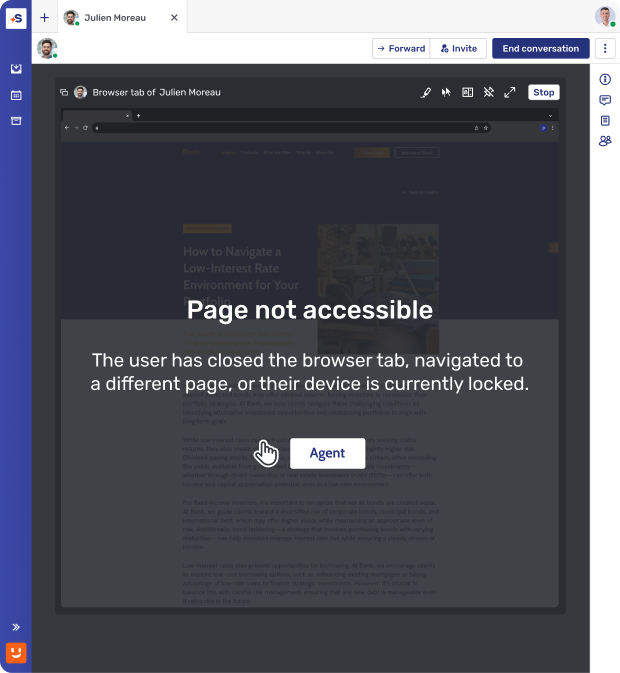
Zugriffskontrolle auf Seitenebene
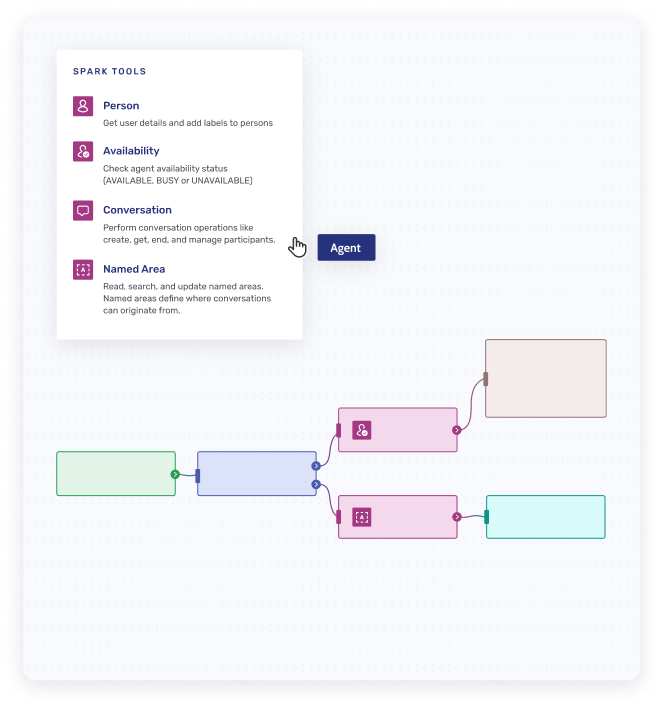
Nur vorab freigegebene Webseiten können gemeinsam durchgesehen werden. So wird verhindert, dass versehentlich unbeteiligte Inhalte sichtbar werden, und die Privatsphäre der Kunden bleibt geschützt.
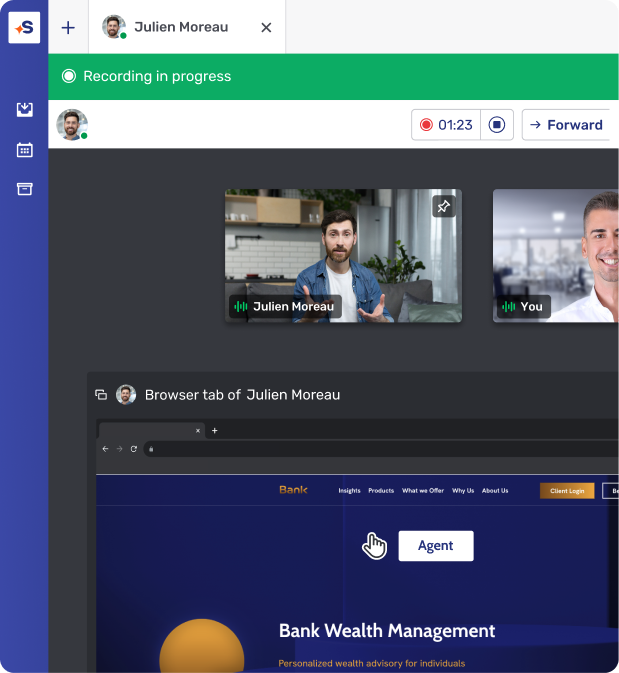
Sitzungsaufzeichnung und Speicherung
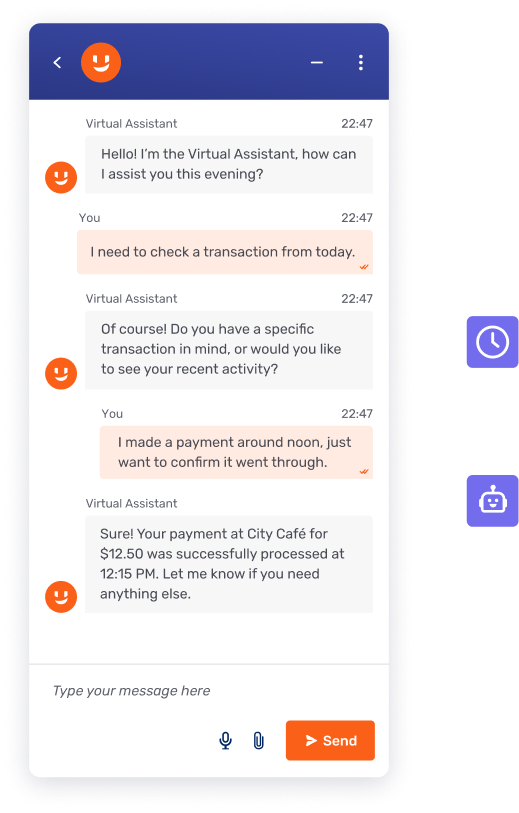
Alle Co-Browsing-Sitzungen können für Compliance-, Audit- oder Schulungszwecke aufgezeichnet und sicher gespeichert werden.
So funktioniert's
Schnell, sicher und einfach zu implementieren.

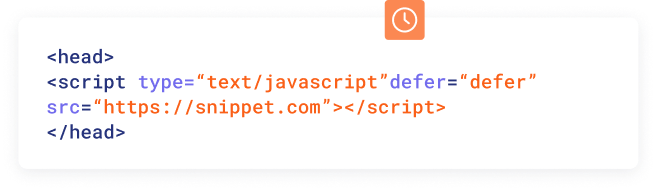
Echtzeit-DOM-Capturing
Eingebettetes Co-Browsing basiert auf dem DOM (Document Object Model), um den Browser des Kunden auf dem Computer oder Gerät des Agenten präzise zu rekonstruieren. DOM-Capturing läuft direkt im Browser des Kunden und überträgt einen visuellen „Klon“ des visuellen Zustands des Browsers an den Agenten.
Einfache Implementierung
Aktivieren Sie die Co-Browsing-Software, indem Sie ein schlankes JavaScript-Snippet in den <head>-Abschnitt des HTML-Codes Ihrer Website einfügen.
Kriterium
Co-Browsing
Browserbasiertes Screen-Sharing
Anwendungsbasiertes Screen-Sharing (Zoom, Teams)
Installationsanforderungen
Keine Installation
Funktioniert nativ im Browser
Erfordert geänderte Systemberechtigungen und einen Browser-Neustart
Erfordert eine vorinstallierte App oder ein Plug-in
Erfordert Berechtigungen + Neustart der Anwendung
Sichtbarkeitsumfang
Für den Berater ist nur die jeweilige Web-Sitzung oder das jeweilige Element sichtbar
Freigabeumfang durch die App vorgegeben (z. B. nur Browser-Tabs)
Nutzer können nur zustimmen oder ablehnen
Die gesamte Anwendung oder der ganze Bildschirm wird geteilt
Verhalten bei Navigation
Nahtlos über Seitenwechsel hinweg
Berater bleibt in der Sitzung
Ein Seitenwechsel oder das Neuladen der aktuellen Seite beendet die Freigabe
Nutzer müssen das Screen-Sharing jedes Mal erneut freigeben
Nutzer müssen selbst steuern, was geteilt wird
Keine automatischen Datenschutzmechanismen
Browser-/Gerätekompatibilität
Funktioniert in allen modernen Browsern und auf mobilen Geräten.
Funktioniert für das Teilen des ganzen Bildschirms oder einzelner Fenster
Freigabe ist auf einen einzelnen Browser-Tab beschränkt
Nicht unterstützt in Safari und Firefox
Breite Kompatibilität auf Desktop-Geräten
Auf mobilen Geräten eingeschränkt oder umständlich
Berechtigungen für die Fernsteuerung
Banken legen fest, welche Bildschirmfunktionen (z. B. Klicks auf Schaltflächen) Beratern während einer Sitzung zur Verfügung stehen
Keine Fernsteuerung möglich
Berater können Kunden nicht bei der Navigation unterstützen
Fernsteuerung gewährt vollen Zugriff
Keine native Sperrung von Funktionen (z. B. Feldmaskierung, Deaktivieren von Klicks auf Schaltflächen)
Feldmaskierung
Bestimmte Felder (z. B. Zugangscode, Kontonummer) lassen sich für Berater maskieren.
Keine Maskierung möglich – die gesamte Anwendung bzw. der ganze Desktop wird geteilt.
Sitzungsaufzeichnung
Selektive Aufzeichnung von Interaktionen
Konform mit Finanzmarktregulierungen
Die Aufzeichnung des gesamten Bildschirms erhöht das Risiko, Client Identifying Data (CID) offenzulegen
Auswirkungen auf die Compliance
Unterstützt die Einhaltung von GDPR und PCI-DSS durch kontrollierten Zugriff
Hohes Risiko, Client Identifying Data (CID) und sensible Informationen offenzulegen
Unblu Co-Browsing
Installationsanforderungen
Keine Installation
Funktioniert nativ im Browser
Sichtbarkeitsumfang
Für den Berater ist nur die jeweilige Web-Sitzung oder das jeweilige Element sichtbar
Verhalten bei Navigation
Nahtlos über Seitenwechsel hinweg
Berater bleibt in der Sitzung
Browser-/Gerätekompatibilität
Funktioniert in allen modernen Browsern und auf mobilen Geräten.
Berechtigungen für die Fernsteuerung
Banken legen fest, welche Bildschirmfunktionen (z. B. Klicks auf Schaltflächen) Beratern während einer Sitzung zur Verfügung stehen
Feldmaskierung
Bestimmte Felder (z. B. Zugangscode, Kontonummer) lassen sich für Berater maskieren
Sitzungsaufzeichnung
Selektive Aufzeichnung von Interaktionen
Konform mit Finanzmarktregulierungen
Auswirkungen auf die Compliance
Unterstützt die Einhaltung von GDPR und PCI-DSS durch kontrollierten Zugriff
Browserbasiertes Screen-Sharing
Installationsanforderungen
Erfordert geänderte Systemberechtigungen und einen Browser-Neustart
Sichtbarkeitsumfang
Freigabeumfang durch die App vorgegeben (z. B. nur Browser-Tabs)
Nutzer können nur zustimmen oder ablehnen
Verhalten bei Navigation
Ein Seitenwechsel oder das Neuladen der aktuellen Seite beendet die Freigabe
Nutzer müssen das Screen-Sharing jedes Mal erneut freigeben
Browser-/Gerätekompatibilität
Funktioniert für das Teilen des ganzen Bildschirms oder einzelner Fenster
Freigabe ist auf einen einzelnen Browser-Tab beschränkt
Nicht unterstützt in Safari und Firefox
Berechtigungen für die Fernsteuerung
Keine Fernsteuerung möglich
Berater können Kunden nicht bei der Navigation unterstützen
Feldmaskierung
Keine Maskierung möglich – die gesamte Anwendung bzw. der ganze Desktop wird geteilt
Sitzungsaufzeichnung
Die Aufzeichnung des gesamten Bildschirms erhöht das Risiko, Client Identifying Data (CID) offenzulegen
Auswirkungen auf die Compliance
Hohes Risiko, Client Identifying Data (CID) und sensible Informationen offenzulegen
Anwendungsbasiertes Screen-Sharing (Zoom, Teams)
Installationsanforderungen
Erfordert eine vorinstallierte App oder ein Plug-in
Erfordert Berechtigungen + Neustart der Anwendung
Sichtbarkeitsumfang
Die gesamte Anwendung oder der ganze Bildschirm wird geteilt
Verhalten bei Navigation
Nutzer müssen selbst steuern, was geteilt wird
Keine automatischen Datenschutzmechanismen
Browser-/Gerätekompatibilität
Breite Kompatibilität auf Desktop-Geräten
Auf mobilen Geräten eingeschränkt oder umständlich
Berechtigungen für die Fernsteuerung
Fernsteuerung gewährt vollen Zugriff
Keine native Sperrung von Funktionen (z. B. Feldmaskierung, Deaktivieren von Klicks auf Schaltflächen)
Feldmaskierung
Keine Maskierung möglich – die gesamte Anwendung bzw. der ganze Desktop wird geteilt
Sitzungsaufzeichnung
Die Aufzeichnung des gesamten Bildschirms erhöht das Risiko, Client Identifying Data (CID) offenzulegen
Auswirkungen auf die Compliance
Hohes Risiko, Client Identifying Data (CID) und sensible Informationen offenzulegen
Häufig gestellte Fragen
Wie erfüllt Co-Browsing die Anforderungen der GDPR und anderer Datenschutzvorschriften?

Unblu Co-Browsing unterstützt die Compliance mit GDPR und PCI-DSS, indem nur die freigegebene Seite oder das freigegebene Feld geteilt wird – nicht der gesamte Bildschirm – und sensible Daten wie Kontonummern maskiert werden, bevor ein Berater sie überhaupt sieht. Jede Session kann gezielt aufgezeichnet und für Audits gespeichert werden. So werden die Aufbewahrungspflichten im Finanzsektor, etwa nach MiFID II, erfüllt, ohne dass – wie beim Screensharing des gesamten Desktops – unbeteiligte Bildschirminhalte erfasst werden.
Wie sicher ist Co-Browsing bei sensiblen Informationen?
Co-Browsing kann äusserst sicher sein, wenn nur eine freigegebene Web-Session geteilt wird und nicht der gesamte Bildschirm. Unblu Co-Browsing schützt sensible Informationen durch Feldmaskierung, Zugriffskontrolle auf Seitenebene und gezielte Session-Aufzeichnung mit vollständigen Audit-Logs. Daten werden im Ruhezustand mit AES256 verschlüsselt, bei der Übertragung wird TLS 1.2 erzwungen, und die Plattform erfüllt die Standards ISO 27001:2022 und SOC 2 Type 2. So können Berater mit Kunden zusammenarbeiten, ohne Client Identifying Data (CID) oder Desktop-Inhalte offenzulegen, wie es bei generischen Screensharing-Tools der Fall ist.
Wie kann Co-Browsing den Kundensupport verbessern?
Co-Browsing verbessert den Kundensupport, indem Berater eine Webseite in Echtzeit sehen und Kunden gezielt hindurchführen können, statt sich allein auf mündliche Beschreibungen zu verlassen. Kunden und Berater arbeiten zusammen, als wären sie im selben Raum – mit Markierungs- und Anmerkungsfunktionen. Das verkürzt die Bearbeitungszeit und verbessert die Erstlösungsquote bei komplexen Anliegen wie Kontoeröffnungen oder Portfolio-Reviews. Da Sessions über Live Chat, Telefon und Video & Voice hinweg bestehen bleiben, behalten Support-Agenten den visuellen Kontext auch bei einem Kanalwechsel, statt von vorne zu beginnen.
Was sind die wichtigsten Funktionen von Co-Browsing-Software?
Zu den wichtigsten Funktionen von Co-Browsing gehören die gemeinsame Navigation in Echtzeit, Markierungs- und Anmerkungstools für Agenten sowie der Zugriff über den Browser ohne Download. Für kundennahe Teams in Banken und Versicherungen zählen vor allem die Sicherheitskontrollen: Datenmaskierung, Zugriffskontrolle auf Seitenebene und Session-Aufzeichnung mit Audit-Logs. Unblu Co-Browsing ergänzt dies um PIN-basierte Sessions für den telefonischen Support, funktioniert ohne Kontextverlust über Live Chat und Video & Voice hinweg und erweitert sich über Mobile Co-Apping auf native mobile Apps – für digitale Kanäle unterwegs.
Was ist der Unterschied zwischen Co-Browsing und Screensharing?
Beim Screensharing wird der gesamte Bildschirm oder eine ganze Anwendung übertragen, was meist eine installierte App und wiederholte Berechtigungen erfordert. Co-Browsing teilt nur eine bestimmte Web-Session im Browser, sodass der Berater ausschliesslich die Seite sieht, an der gerade gearbeitet wird. Mit Unblu Co-Browsing legen Banken fest, welche Bildschirmfunktionen ein Berater nutzen darf, sensible Felder lassen sich per Feldmaskierung ausblenden, und der Wechsel auf eine neue Seite beendet die Session nicht – Funktionen, die generische Tools wie Zoom oder Teams nicht nativ unterstützen.
Was ist Co-Browsing und wie funktioniert es?
Co-Browsing, auch kollaboratives Browsen genannt, ist eine Technologie für die Zusammenarbeit in Echtzeit, mit der ein Support-Agent oder Berater und ein Kunde direkt im Browser gemeinsam durch dieselbe Webseite navigieren. Dazu wird das DOM im Browser des Kunden erfasst und der visuelle Zustand auf dem Bildschirm des Agenten nachgebildet. Geteilt wird nur der vereinbarte Browser-Tab, nicht der gesamte Desktop – ganz ohne Downloads oder Plug-ins. Anders als beim Screensharing wird der Desktop des Kunden bei Co-Browsing nie offengelegt. Unblu Co-Browsing ist speziell für Banken und Finanzinstitute entwickelt.
Wie steigert Co-Browsing die Effizienz von Beratern?
Co-Browsing steigert die Effizienz von Beratern, indem Webseiten, Formulare oder andere digitale Inhalte sicher geteilt und gemeinsam bearbeitet werden können. Kunden und Berater arbeiten dabei so, als sässen sie im selben Raum – inklusive Option für Annotationen, Markierungen und Hervorhebungen. Das beschleunigt Prozesse, reduziert Rückfragen und erhöht die Abschlussquote.
Kann Co-Browsing auch auf mobilen Geräten genutzt werden?
Co-Browsing ist grundsätzlich auch in mobilen Browsern möglich. Die deutlich bequemere und von Unblu empfohlene Variante ist jedoch Mobile Co-Browsing bzw. Co-Apping. Dabei handelt es sich um eine mobile-native Alternative, die dieselben Funktionen wie Co-Browsing bietet – jedoch direkt in der App-Umgebung. Das sorgt für eine bessere User Experience auf Smartphones und Tablets.
Wie stellt Unblu die Einhaltung von Datenschutz- und Sicherheitsvorschriften sicher?
Die Unblu Plattform erfüllt höchste internationale Sicherheitsstandards, darunter ISO 27001:2022 und SOC 2 Type 2, und wird regelmässig getestet. Alle Interaktionen zwischen Beratern / Agenten und Kunden werden verschlüsselt, revisionssicher gespeichert und sind gemäss regulatorischen Anforderungen jederzeit nachvollziehbar und zugänglich.
Welche Vorteile bietet Co-Browsing beim Kunden-Onboarding?
Co-Browsing ermöglicht ein effizienteres, visuelles und kollaboratives Onboarding-Erlebnis. Alle Teilnehmenden einer Session sehen denselben Inhalt und können gemeinsam interagieren, um beispielsweise die Kontoeröffnung abzuschliessen, Dokumente einzureichen oder Informationen unkompliziert zu verifizieren. Co-Browsing funktioniert ohne Download, ist sicherer als klassisches Screen-Sharing und bietet eine besonders reibungslose digitale Zusammenarbeit.
